Why keep a reading journal?
You finish a book, think about it for a day or two, and then it fades. A month later someone asks what you read recently and you struggle to name three titles. A reading journal fixes that. It gives you a record you can look back on - what you read, when, and what you thought about it.
Over time, patterns show up. You might notice you gravitate toward the same three authors, or that you read faster in winter, or that every book you rated five stars had a specific kind of ending. That self-awareness changes how you pick your next book.
There's no single right way to do this. Some people use a notebook, some use a spreadsheet, some use an app. All three work. Pick the one you'll actually stick with.
Reading tracker apps have grown fast - StoryGraph crossed 5 million users in early 2026, and Goodreads still has over 150 million accounts. But many readers are going the opposite direction: spreadsheets, notebooks, and simple logs they control. The method matters less than the consistency.
Method 1: Paper journal
A notebook next to your reading spot. After you finish a book - or a reading session - you write a few lines. That's it. No login, no battery, no notifications.
What to record per book:
- Title and author
- Date finished
- Rating (stars, number, thumbs up/down - whatever system you like)
- One-sentence reaction ("Couldn't stop reading" or "Lost interest halfway")
- One favorite quote, if you have one
Research on handwriting and memory (cited by the Association for Supervision and Curriculum Development) suggests that writing things down by hand improves recall compared to typing. If remembering what you thought about a book matters to you, paper has a genuine advantage.
If you like structure, a printable reading log gives you a template to fill in. Pre-filled journals tend to stick better than blank notebooks - the structure removes the barrier of a blank page. Bullet journal readers often build their own spreads with color-coded genres and monthly tracking pages, though elaborate spreads have a high abandonment rate once the novelty wears off.
Pros: No screen time, tactile and satisfying, room for sketches and personal touches, works without WiFi or a phone.
Cons: Can't search your entries, no automatic stats, easy to forget if the notebook isn't nearby, hard to reorganize once written.
Method 2: Spreadsheet
Google Sheets or Excel. One row per book. Works well if you like sorting and filtering your data and want full control over what you track.
A good starting set of columns:
| Title | Author | Pages | Date started | Date finished | Rating | Genre | Format | Notes |
The "Format" column (physical, ebook, audiobook) is one of the most-regretted omissions among experienced readers. Without it, you cannot answer questions like "how many audiobooks did I listen to this year?" or "do I rate audiobooks differently than print?" Add it from the start.
You can add formulas to count books per month, calculate your average rating, or chart your reading pace over the year. If you want a quick start, search for "reading tracker spreadsheet template" - there are free ones on Google Sheets.
Pros: Searchable, sortable, free, fully customizable, accessible from any device with a browser.
Cons: Manual data entry, no ISBN scanning, no reading timer, no home screen widget, creating charts takes effort.
Method 3: Reading tracker app
A reading tracker does what a paper journal and spreadsheet do, but faster. You scan a barcode or type a title and the book is added with its cover, author, and page count pulled in automatically. Most apps also track reading time, calculate stats, and show your progress toward a yearly goal.
PagePath is one option. It stores everything on your phone - no account, no cloud. You can rate books with half-star precision, add notes and genre or mood tags, and see your reading history on a reading calendar. Weekly reading wraps give you a recap of what you read, and monthly or yearly wraps (Pro) show trends across genres, authors, and reading pace.
Other apps include StoryGraph (strong on stats and mood tracking), Bookly (timer-focused with gamification), and Bookmory (clean design, reading journal feel). Each has a different emphasis, so the right one depends on what you care about most.
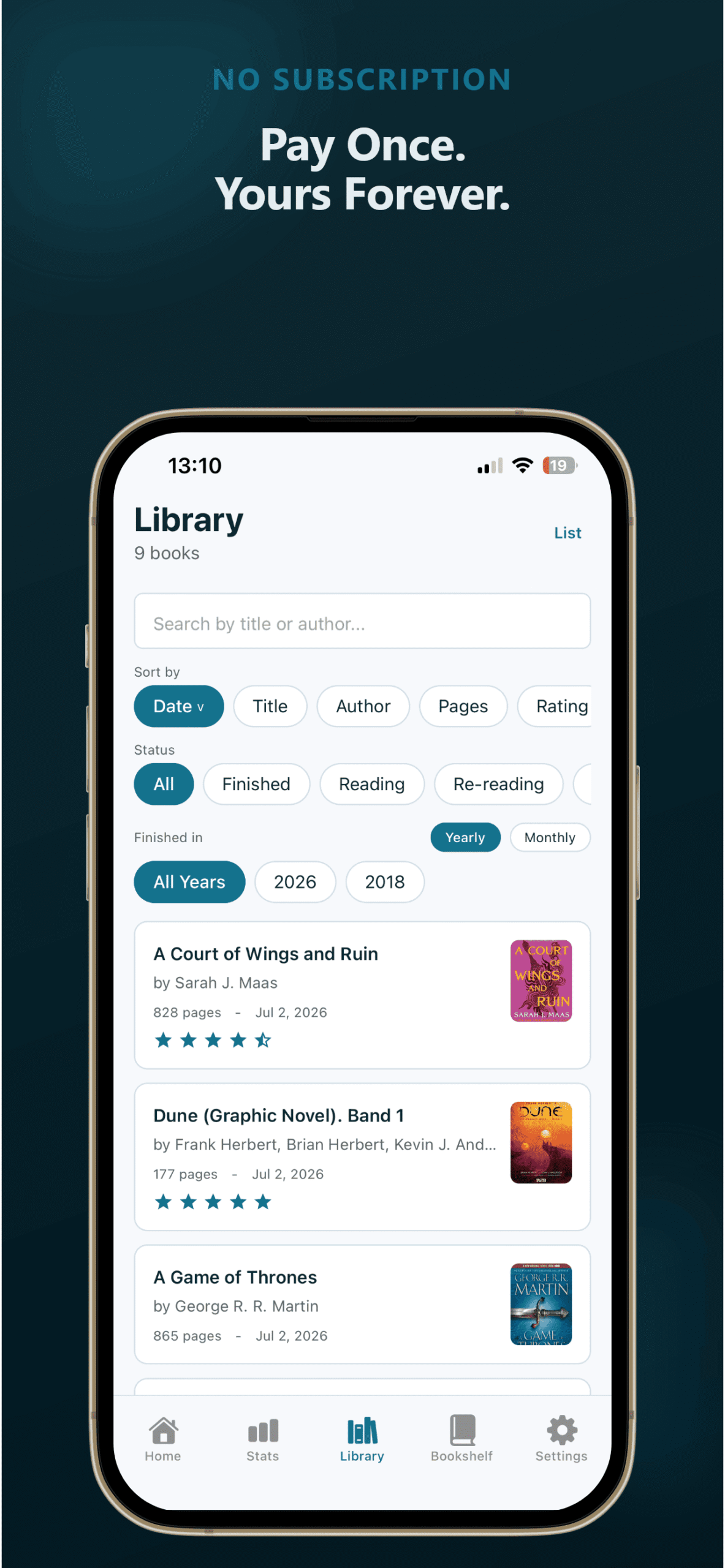
Pros: Fast entry via barcode scan, automatic stats and charts, reading timer, home screen widgets, progress tracking with zero manual calculation.
Cons: Screen time, some apps charge monthly (PagePath is a one-time purchase, others are subscriptions), less personal than a handwritten journal.
What long-term readers keep tracking (and what they drop)
After looking at what readers across book communities, spreadsheet-sharing threads, and tracking app reviews actually maintain over time, a clear pattern emerges. Some fields survive years. Others get abandoned within months.
Fields that stick
| Field | Why it survives |
|---|---|
| Title + Author | Obvious baseline. Nobody drops this. |
| Date finished | Most regretted omission if skipped early. You cannot reconstruct it later. |
| Rating | Quick, satisfying, enables year-end analysis. |
| Genre | Reveals patterns you do not notice while reading. |
| Format (physical/ebook/audio) | One of the most-regretted omissions. Tracks how your reading habits actually break down. |
| One-sentence reaction | Fast enough to be sustainable, detailed enough to be useful months later. |
| DNF flag | Gives permission to quit and tracks what does not work for you. |
Fields people abandon
| Field | Why it gets dropped |
|---|---|
| Daily page counts | Too tedious. Requires logging during reading, not after. |
| Multiple mood fields | "Mood before reading" + "mood after" + "book mood" = three fields nobody fills consistently. |
| Purchase price | Sounds useful in January. Abandoned by March. |
| Elaborate bullet journal spreads | Beautiful, but 20+ minutes per book kills the habit. |
| Author demographics | Power-user field for book bloggers and diversity challenge readers, not casual trackers. |
This does not mean the "drops" fields are bad. If you are a book blogger tracking ARCs or running a diversity reading challenge, author demographics matter. The point is to start with the "sticks" list and only add from the "drops" list if you have a specific reason.
What to write in your reading journal
You don't need to write a full review. A few prompts to get you started:
- What made you pick this book? Recommendation, cover, author you already like, reading challenge prompt.
- One-sentence summary. Not a synopsis - your summary. "A quiet family drama that gets darker than you expect."
- Favorite quote. One line you'd underline. If nothing stood out, skip it.
- What surprised you? A plot turn, a writing style you didn't expect, or just how fast (or slow) you read it.
- Would you recommend it? To whom? "Yes, for anyone who liked [other book]" is more useful than a generic thumbs up.
- Rating. Stars, a number out of ten, a letter grade - pick a scale and stick with it.
- Where you heard about it. A friend, a podcast, a bestseller list, a Reddit thread. After a year, you can see which sources consistently lead you to books you love.
Write your entry within a day of finishing. The longer you wait, the vaguer the reaction gets. Even a sentence written the day you finish is better than a paragraph you write two weeks later.
Start simple
The most common mistake is overbuilding the system before you start using it. A 15-column spreadsheet or a bullet journal spread with seven trackers looks impressive, but most people abandon it within a month because it takes too long to fill in.
If you take one thing from this guide: start with three fields. Title, date finished, and one sentence about what you thought. That is a complete reading journal. Everything else is optional. If it feels too light after a few books, add a rating. Then notes. Then quotes. Build up as you go instead of designing the whole system upfront.
The best reading journal is the one you actually use. A messy notebook with twelve entries is better than a color-coded spreadsheet with zero.
Whatever method you use, back up your data. Export your Goodreads library periodically. Save your spreadsheet to the cloud. Take a photo of your notebook pages. Readers who lost years of tracking data when an app shut down or a notebook was lost say it is one of their biggest regrets.
Something that comes up again and again across reading communities: the readers who stick with their journals aren't the ones with the prettiest systems. They're the ones who use tracking as a form of memory. They want to look back in December and remember that week in March when they read three books in a row, or that one novel they picked up during a bad week that changed their mood. The journal works when it feels like a personal archive, not a chore. If you're only counting books, you're missing the part that makes the record worth keeping.
If you want to see your reading statistics without doing the math yourself, an app handles that for you. If you're working through a reading goal, the journal doubles as a progress tracker. And if you care about how you rate books, we wrote a separate piece on book rating systems and why half-stars matter.
Frequently asked questions
How often should I write in my reading journal?
After every book is ideal. If you read a lot and that feels like too much, write a quick entry when you finish and a longer reflection at the end of each month. The key is consistency, not volume.
Should I track books I didn't finish?
Yes. Logging a DNF (did not finish) with a one-line note about why you stopped is useful data. It helps you avoid similar books later and reminds you it's fine to put a book down.
Can I combine methods?
Absolutely. A lot of readers use an app for tracking stats and a paper journal for personal reflections. The app handles the numbers and the notebook handles the thoughts. Use whatever combination works for you.
Is a reading journal the same as a book review?
No. A review is written for other people. A journal entry is for you. It can be as short as a rating and a sentence. Nobody else needs to read it or agree with it.
Part of our Complete Guide to Tracking What You Read
Want a reading journal that tracks your stats automatically?
PagePath logs your books, calculates your reading pace, and builds weekly wraps - all on your phone. Free for your first 25 books.